Make custom QR codes worth scanning
Design QR codes for links, Wi-Fi, vCard contacts and more — colors, gradients, logos and ready-made presets. Your address goes straight into the code: no redirect, nothing to expire. Free, private, no account.
No sign-up. Works on Android and in any modern browser.
Your link is inside the code. Not a redirect.
Most QR code generators do not encode your address. They encode theirs — a short tracking URL that bounces every scan through their servers on the way to you. That works right up until the plan lapses, the free tier ends or the service shuts down. Then every poster, business card and menu you printed points at a dead page.
Sharen writes your address into the QR code itself. The code is built on your device, what sits inside the pattern is exactly what you typed, and nothing stands between the scanner and your page.
- Nothing to expireThe code keeps working for as long as your own link does. There is no subscription of ours holding it up.
- No middlemanNo third-party domain in the middle, no scan counting, no redirect that could be repointed without you.
- Works without a signalThe code is generated on your device. No account, no upload, no round trip to a server.
Stops working when that link expires or the service closes.
Encoded directly. Nothing in between.
One generator for every kind of QR code
Pick what you want to share — Sharen builds a valid code for it.
QR code design, down to the last pixel
Go far past plain black squares — without any design skills.
Colors & gradients
Solid or gradient fills for the code, the background and the caption — with direction control.
Module shapes
Rounded, square, circle or spaced. Data, finder patterns and timing marks are styled separately.
Logo in the middle
Drop a brand logo or your own image into the centre of the QR code, embedded or on top, with size control.
Design presets
Classic, Midnight, Sunset, Ocean, Neon and more — a finished QR code design in one tap.
History
Every code you save or share is kept, ready to reopen, rename or pin.
Scan check
Every code is checked before you save it — contrast, quiet zone, and a real scan test using your device's own recognition engine (ML Kit on Android, the same technology behind Google Lens).
Private by design
Codes are generated on your device and stay there. Optional diagnostics never include their content.
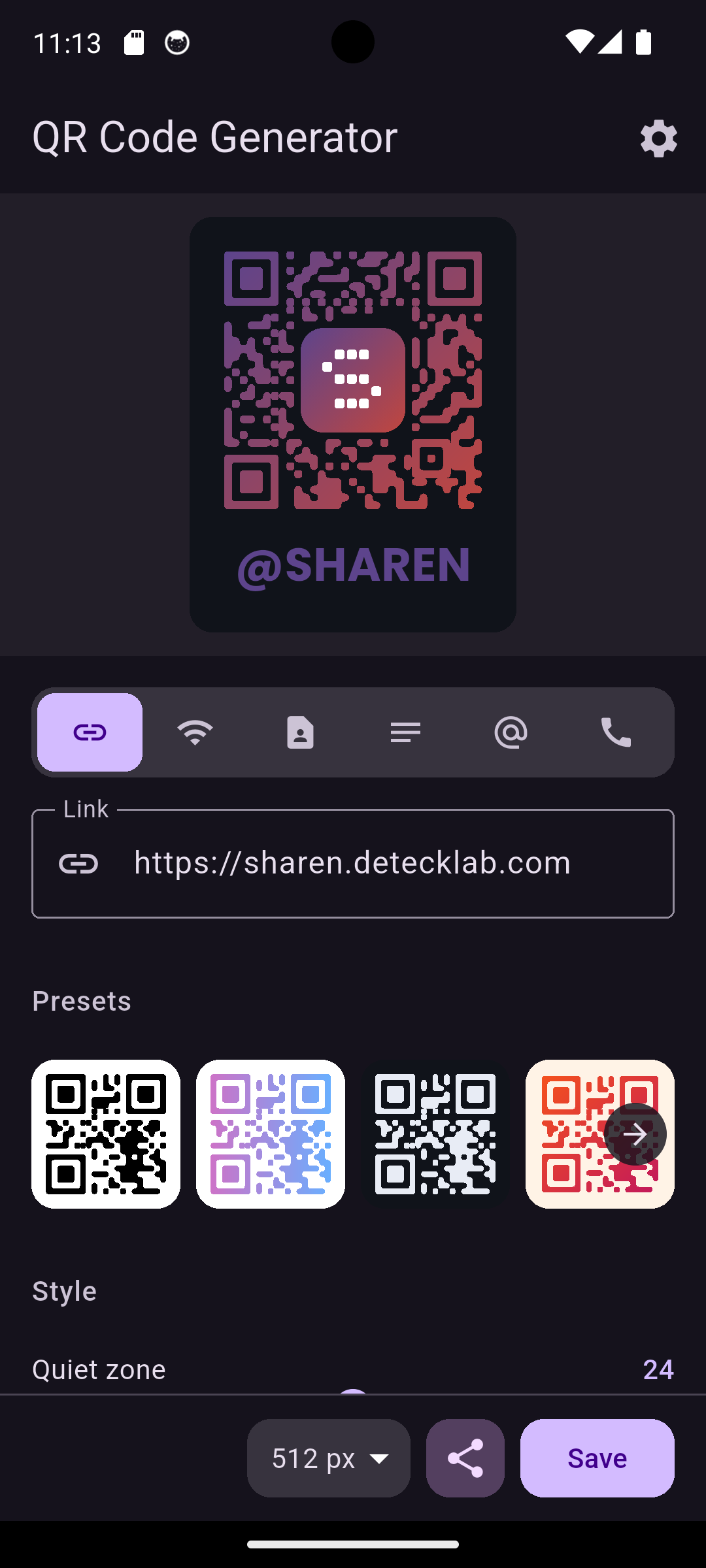
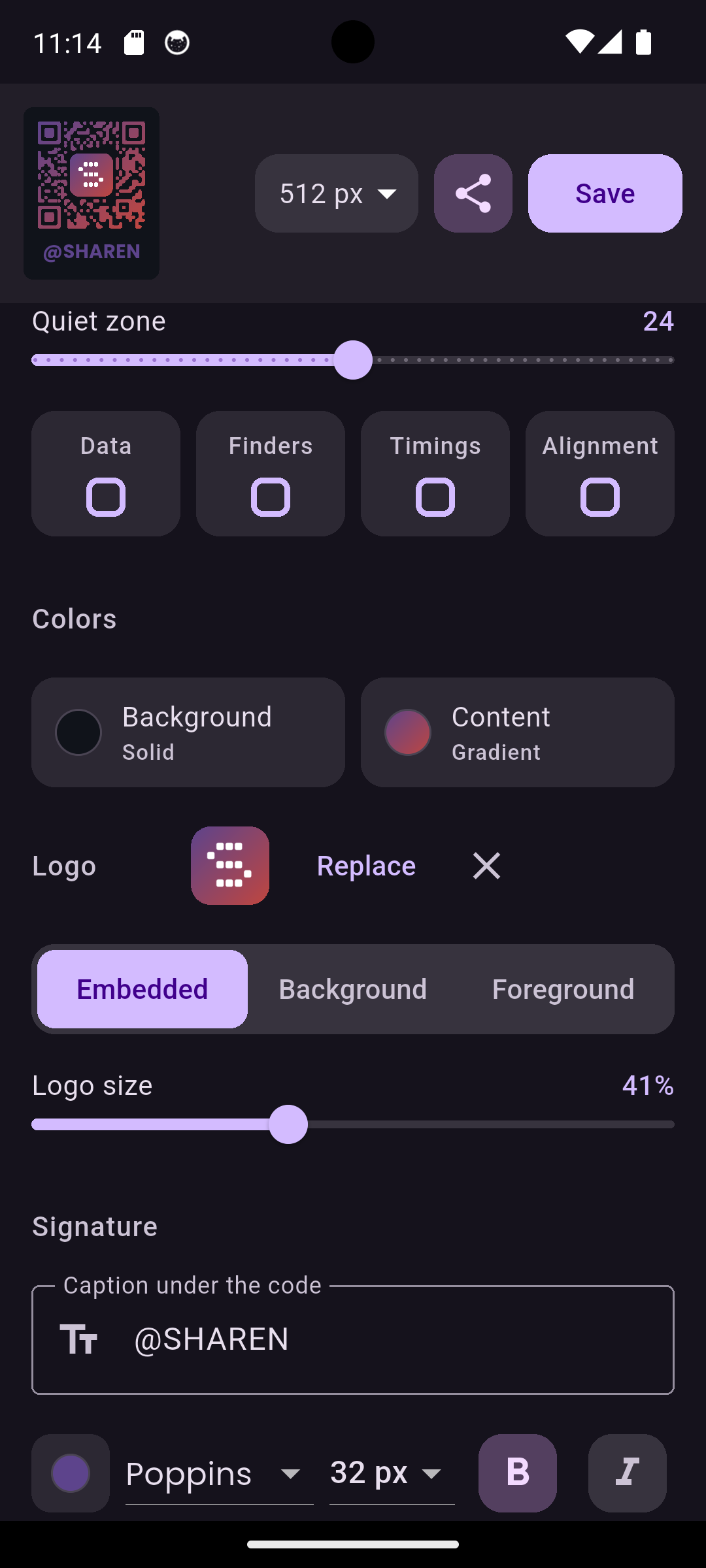
See it in action
From a link to a finished, styled code — right on your phone.
Questions people ask before printing
The short answers. The longer ones are in the guides.
Do Sharen QR codes expire?
No. Your address is encoded in the pattern itself, so there is no link of ours in the middle that could lapse. The code works for as long as the page it points at does.
Can I change where a code points after printing it?
No — that is the trade-off of encoding directly: the address lives in the pattern, so changing it means making a new code. If you know you will need to repoint a printed code later, encode a URL you control and change the destination on your own side.
Do you track scans?
No. Nothing passes through us when a code is scanned, so there is nothing for us to count. A scan goes straight from the phone to your page.
Can I put a logo in the QR code?
Yes. Add a brand logo or any image to the centre, embedded into the pattern or laid over it, with size control. Keep it modest so error correction still has room to work.
Why isn't my QR code working?
Often it's contrast, a missing margin, or a logo that's too large — the same things printed QR codes fail on most. Sharen checks for all of this automatically before you export, including a real scan test on your device, so you catch it before it goes to print, not after.
What is a vCard QR code?
A QR code holding a contact card — name, phone, e-mail, company — so that scanning it offers to save the contact instead of opening a page. Sharen builds one from the fields you fill in.
Is it free?
Yes. No account, no watermark and no export limit.
Guides
The longer answers — what breaks printed codes, and how to make ones that last.
Why QR codes stop working
Six reasons a printed code dies, and a checklist to run before anything goes to press.
Read →Static vs dynamic QR codes
What "dynamic" actually means, what it costs you, and how to get editability without renting your link.
Read →How to make a Wi-Fi QR code
Let guests join by scanning. The format, the fields, and the four details that break it.
Read →vCard QR codes explained
One scan, contact saved. Which fields earn their place and which make the code unreadable.
Read →Adding a logo to a QR code
Why the centre logo works at all, how far you can push it, and the parts you must never cover.
Read →Ready to make your first code?
Free to use. No account, no watermark.